
How to Make the Hotel Lobby AI Trend Video with Two Photos
Make the Hotel Lobby AI trend video from two photos. Set the left and right performers, preview a 5–15 second clip, and check the credits before generating.
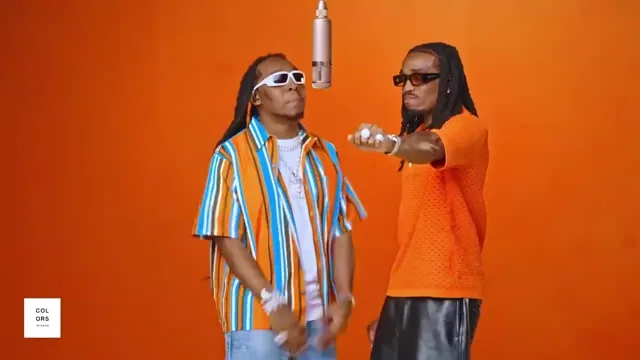
The Hotel Lobby AI trend, also called the Migos AI trend, puts two new performers into a short rap duet around a hanging microphone. In RapVideoGo, you choose a segment of the performance, then assign one photo to the person on the left and another to the person on the right.
Try this setup: put yourself on the left, a friend who agrees to appear on the right, and select 0:15–0:25. You can preview the photos and reference clip for free. Generating the 10-second video costs 20 credits.
1. Put one face in each photo slot
Open the Hotel Lobby AI video template to follow the example with presets. The main Hotel Lobby AI video generator also works if you set the time range by hand. Choose two clear adult portraits you have permission to use. Pick images with one visible face each, even lighting and enough room around the head. Each slot accepts JPG, PNG or WebP up to 8 MB.
Add your portrait to Left performer and your friend's to Right performer. Check the two thumbnails before you continue. If you loaded the pictures the other way around, use the swap button between the slots.
2. Choose and preview a 5–15 second clip
For this example, select 0:15–0:25 in the template presets or set those endpoints on the timeline. Drag the start and end handles if you want a different moment. Choose a section where both performers are visible and the movement fits the clip you want to share.
Press Play beside the timeline to check the selected segment. The sound button lets you hear the reference clip. The two photo thumbnails show your inputs, and the player shows the timing of the original performance. You see the finished duet with your photos after generation.
3. Check credits, generate and review
Sign in, then check the cost on the Generate button before submitting. The service charges 2 credits per second when you submit and rounds fractional seconds up. A 5-second clip costs 10 credits, the 10-second example costs 20, and 15 seconds costs 30. Failed generations are refunded.
Open the result in My videos when it is ready. Check that the two people appear on the intended sides, play the clip once with sound, then download it. The model uses the chosen performance as a reference, so details such as audio and lip movement can vary. For a look at the format before submitting, browse the Hotel Lobby AI video examples.