
How to Make a Personalized Birthday Rap Video from Photos
Make a birthday rap video with one to three performer photos, personal lyrics and AI vocals. Plan who sings, choose a template, generate and share the greeting.
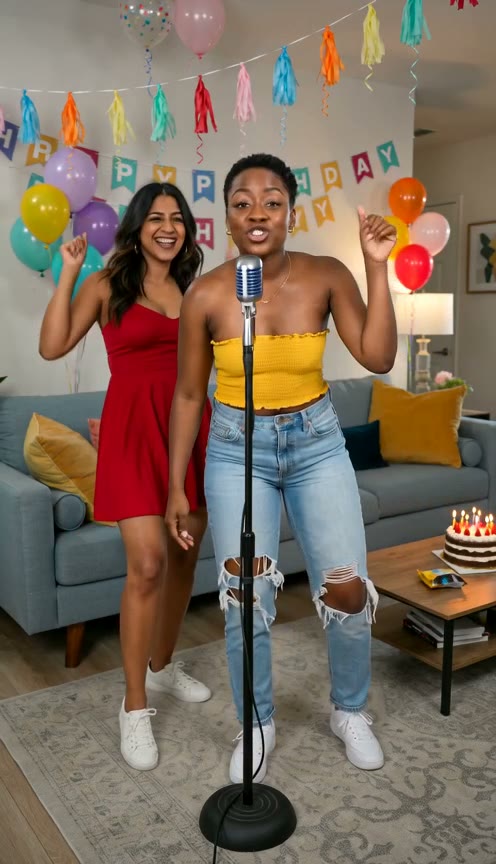
To make a personalized birthday rap video, choose who will perform, add their photos in Birthday Rap, edit a recipient template with a name, a memory and a wish, then generate. The result is a short AI performance with rap vocals and a beat. The birthday person can appear, or stay off-screen while friends deliver the greeting.
This guide follows one greeting from planning to sharing. If you only need words, start with the birthday rap lyrics examples instead.
1. Decide who sings and who receives the message
Separate the performers from the birthday recipient. For example, two friends can sing to Maya without needing a third photo of Maya. Or Maya can be the only performer in a selfie-based birthday announcement.
Choose one clear setup before uploading:
- Solo greeting: one person delivers the whole message.
- Duet greeting: two friends take turns or share the same wish.
- Small group greeting: up to three reference photos in Birthday Rap.
Use photos of yourself or people who agreed to appear. A photo supplies appearance, not a recording or clone of that person's real voice.
2. Choose the recipient template and add photos
Open the Birthday Rap studio. Choose an appropriate recipient template, such as Mom or Friend, then add one to three performer photos. JPG, PNG and WebP files up to 8 MB each are supported.
Prefer clear faces with even light. Separate portraits help when assigning parts in a duet. Keep the upload order stable: A can refer to the first performer and B to the second. For a small group, check that every intended performer appears in the result; adding a photo does not guarantee equal singing time.
The selected template guides the setting. You can clear it to let AI arrange a scene from the lyrics, but there is no separate location or camera editor.
3. Replace the sample words with one personal story
Pick the name people actually use, one recognizable detail and a wish. For two friends celebrating Maya's habit of organizing every trip, a short draft could be:
A: Maya, you plan every stop on the way.
B: Today let us lead; it's your birthday.
A: More little adventures, more friends coming through.
B: One big happy birthday from both of us to you.
Replace the example with your own details. Keep only lyrics and optional speaker labels in the lyric box; do not paste camera directions before the verse. Choosing a template supplies editable words, not an automatic biography from a photo or name.
For more writing help, use the four-line structure and three lyric examples. If the recipient dislikes being teased, replace the joke with a familiar detail or compliment.
4. Match the verse to the duration and destination
Choose a duration from 4 to 15 seconds, an available resolution and a frame shape. Four short lines can be a draft for a longer clip in that range, but they are not guaranteed to fit. Read the verse aloud and leave room for pauses and a clear final wish.
Choose portrait for a vertical message or feed, landscape for a wider display, or square if that suits your destination. Check the actual settings after selecting an example, because loading prepared material can change them. Save your personal lyrics before switching templates.
5. Check the quote and generate
Viewing examples and editing lyrics are free. Generating the video uses credits; check the displayed quote for the selected duration and quality, then sign in and submit. See credit packs if you need more credits.
You do not need to record a voice or upload a birthday song. AI generates new rap vocals and a beat. If you need the video to follow an existing recording exactly, this studio's workflow will not provide that audio upload.
6. Review the greeting before sending it
Play the completed result in birthday history. Listen for the recipient's name, the personal detail and the final wish. Check faces and, for a duet, who delivers each line. AI can vary wording, pronunciation, timing and assignments.
If the ending is rushed, shorten the words before another attempt. A completed video you want to revise requires a new generation; failed generation returns its credits.
Download a successful video and send it through your preferred app. Add a separate written birthday message if you want context that does not fit the short performance. For a public vertical post, continue with the TikTok rap video workflow.